The booking calendar for everything you share.
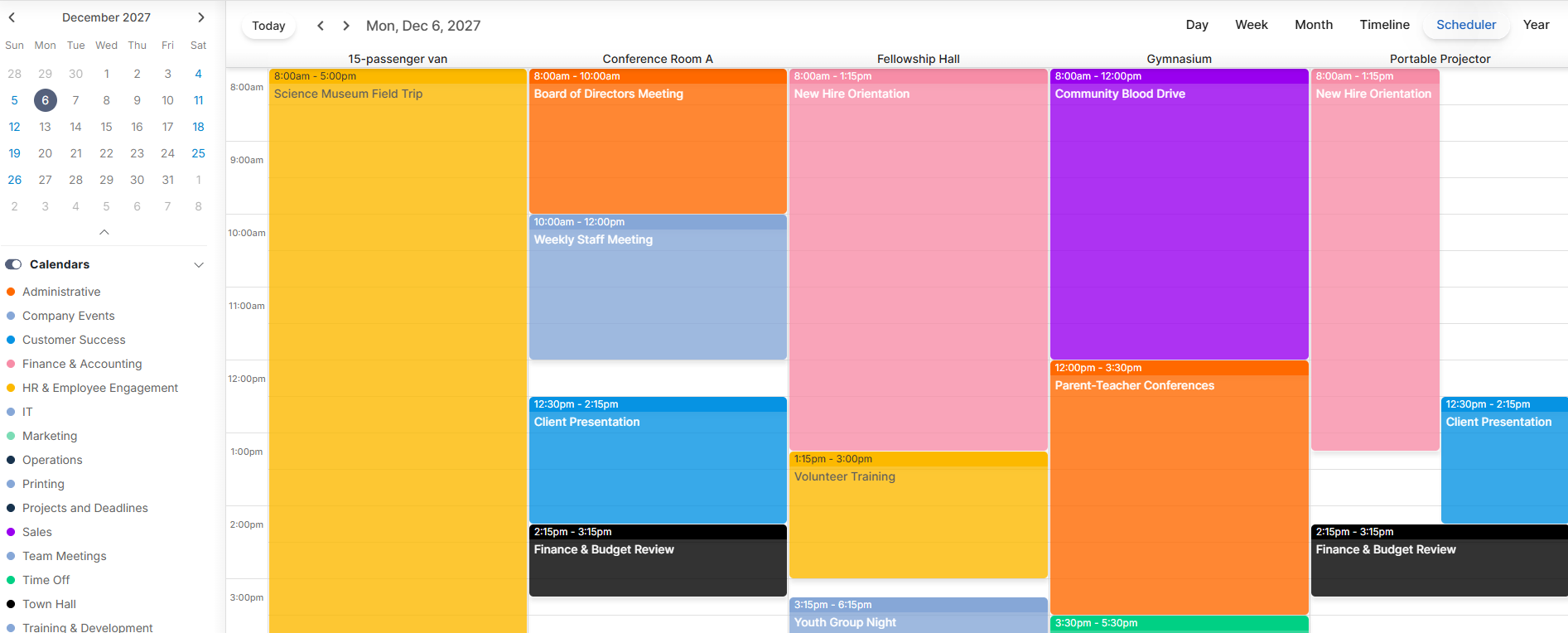
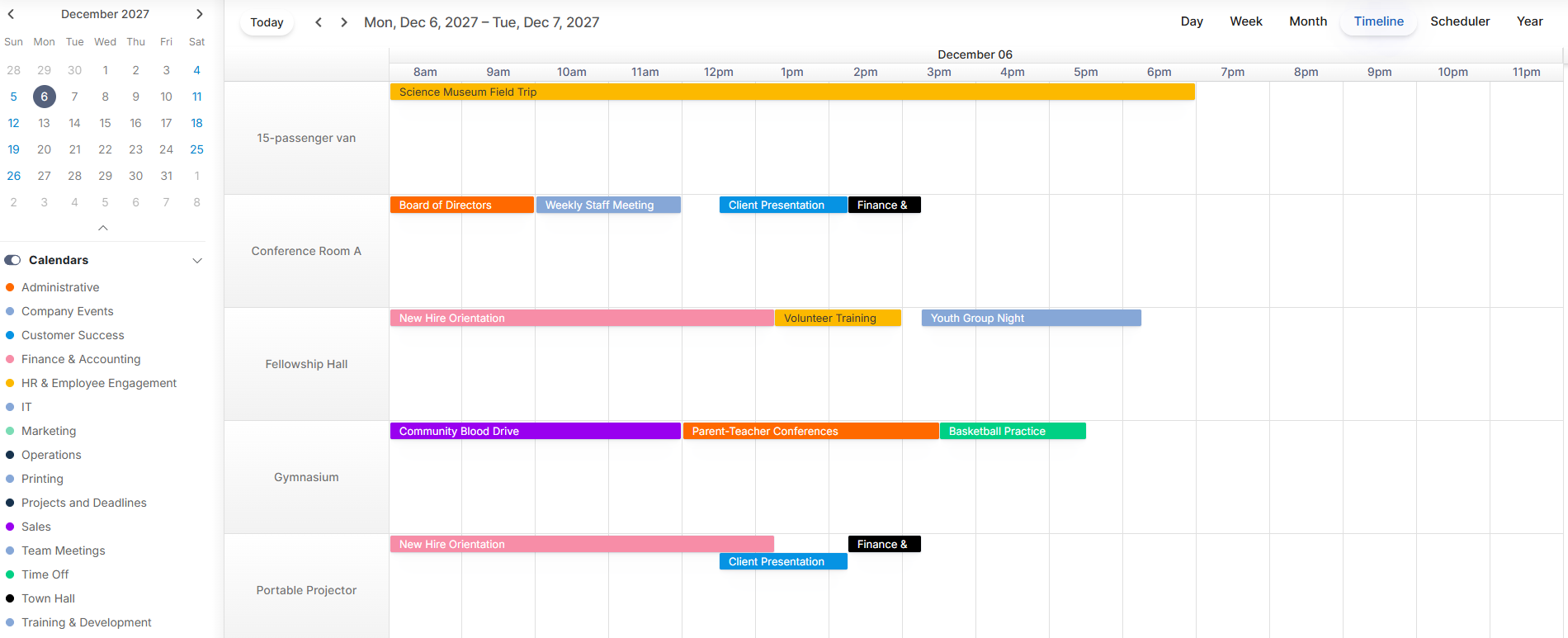
No more double-booked meeting rooms, vehicles or equipment. CalendarWiz+ puts your rooms, buildings and resources on one schedule, so your team sees what's free and books it in seconds.
The 3 Building Blocks of Every Booking
CalendarWiz+ room and resource booking software connects the three things every reservation needs:
- 1. The event your team is planning
- 2. The meeting room, conference room or facility it needs
- 3. The equipment, vehicles and people that go with it
Stop double-booked rooms before they happen.
CalendarWiz+ checks every reservation against your rooms, facilities and equipment as it's made. A conflict shows up before anyone saves, so two meetings never land in the same conference room.
Start Free Trial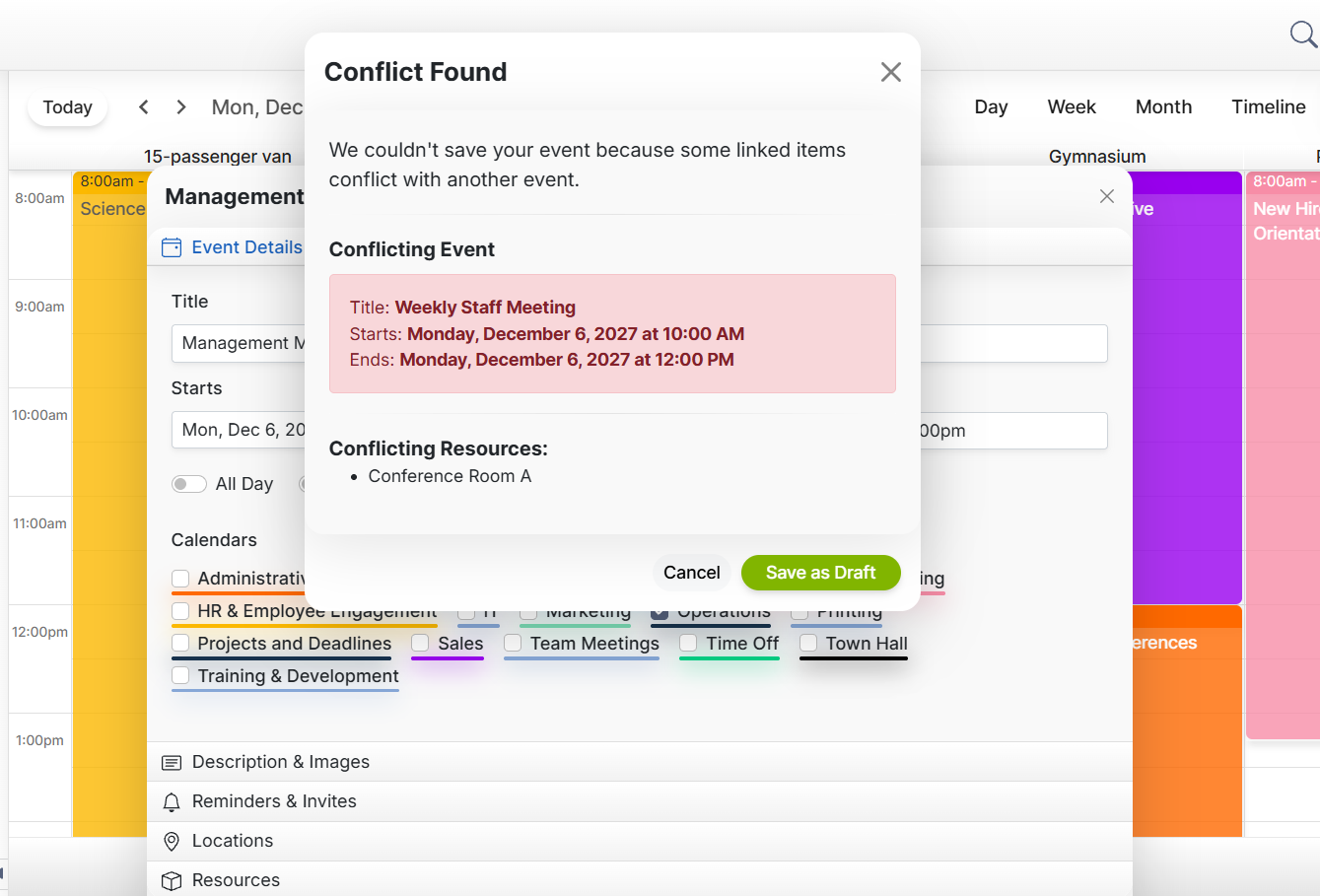
See why teams trust CalendarWiz+ to book their spaces.
- • Quick setup for rooms and resources
- • One booking calendar for every space
- • Rooms, vehicles and equipment in one place
Let automatic reminders do the follow-up.
Send reminders automatically, and every suggested event gets its own confirmation.
Start Free Trial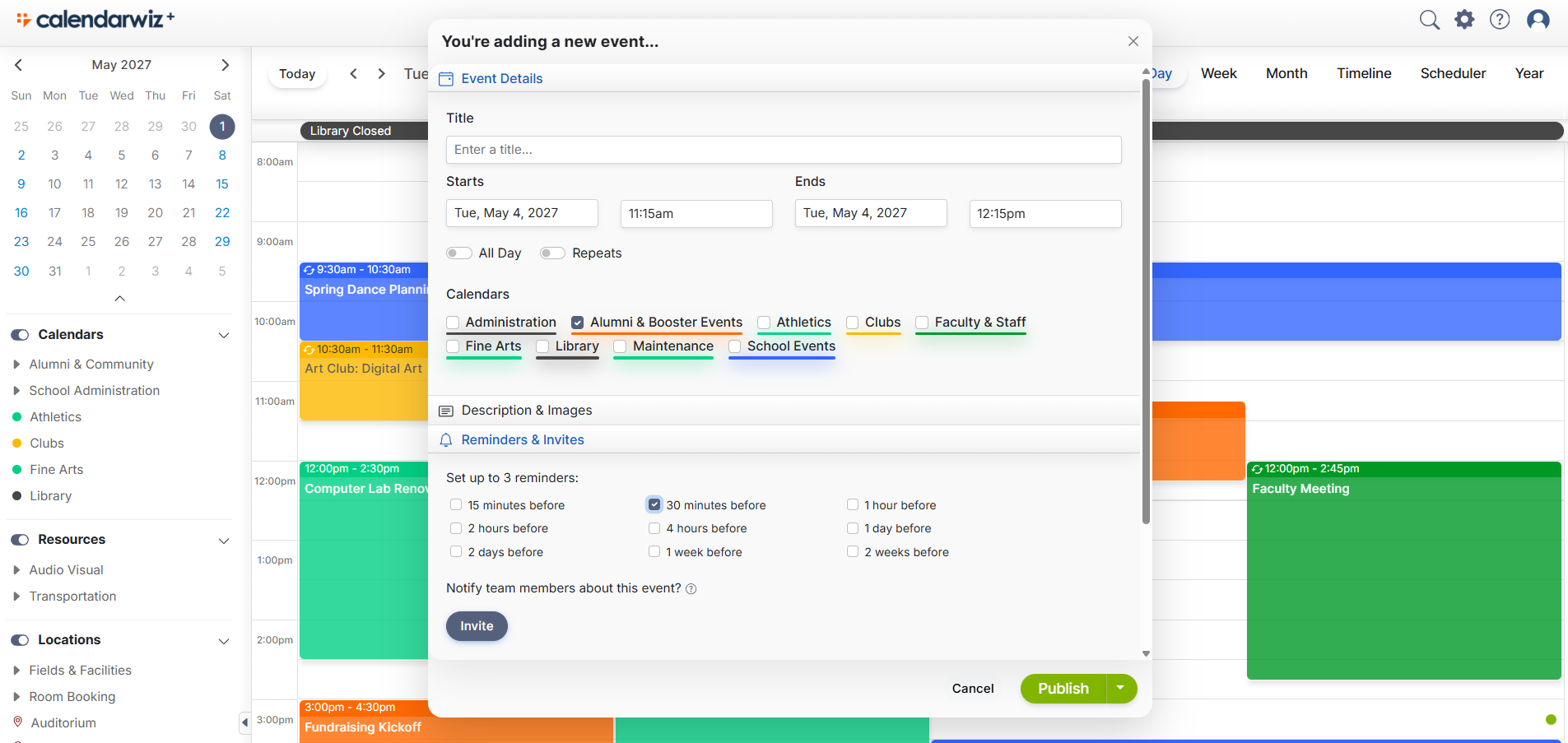
Let anyone request a booking.
Add a Suggest Event button to your calendar. Members, customers or the public can request a space without logging in, and an admin approves it before it's added.
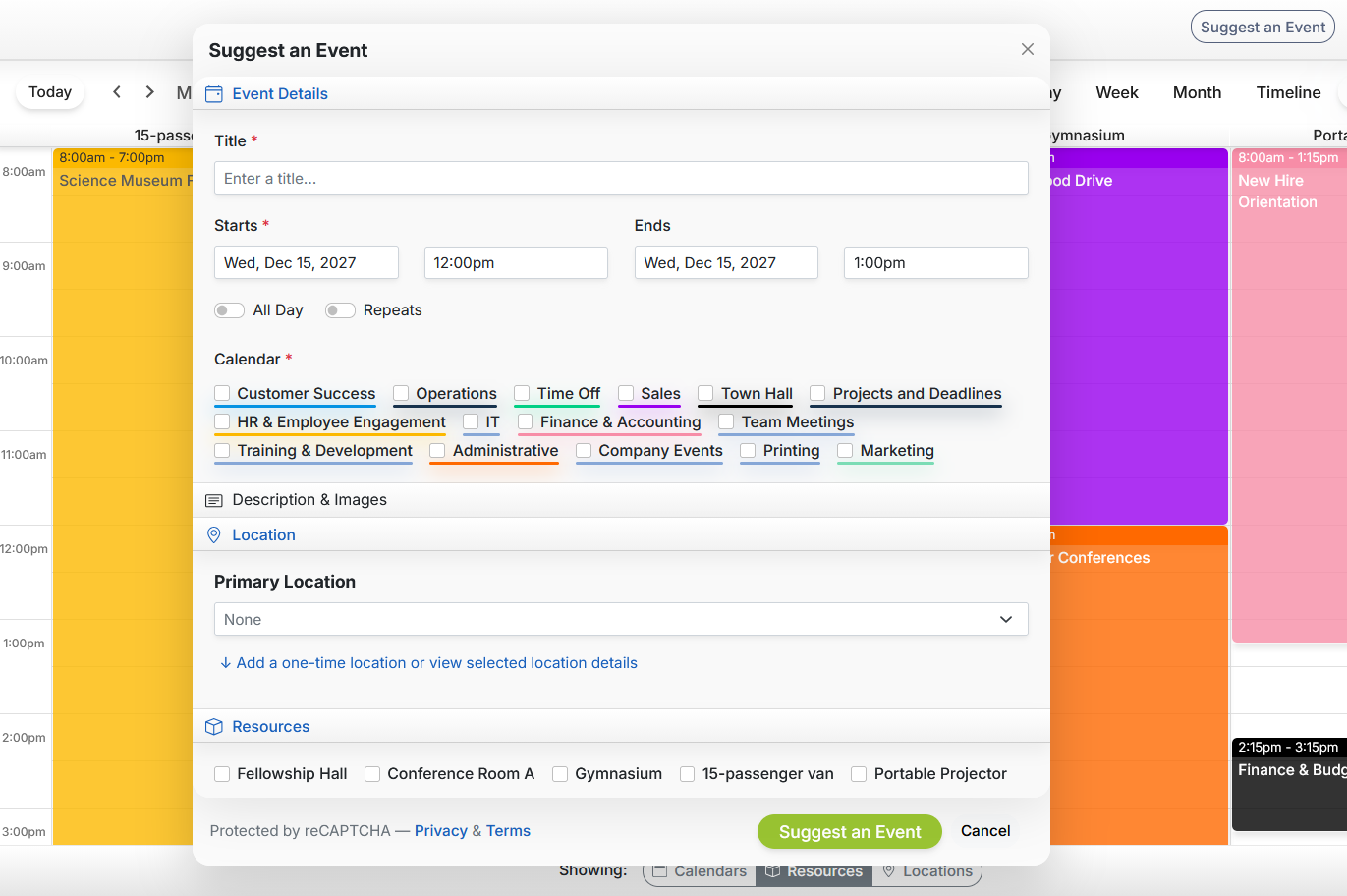
Spend less time managing reservations.
Let CalendarWiz+ handle reminders and booking requests to save you time.
Start Free Trial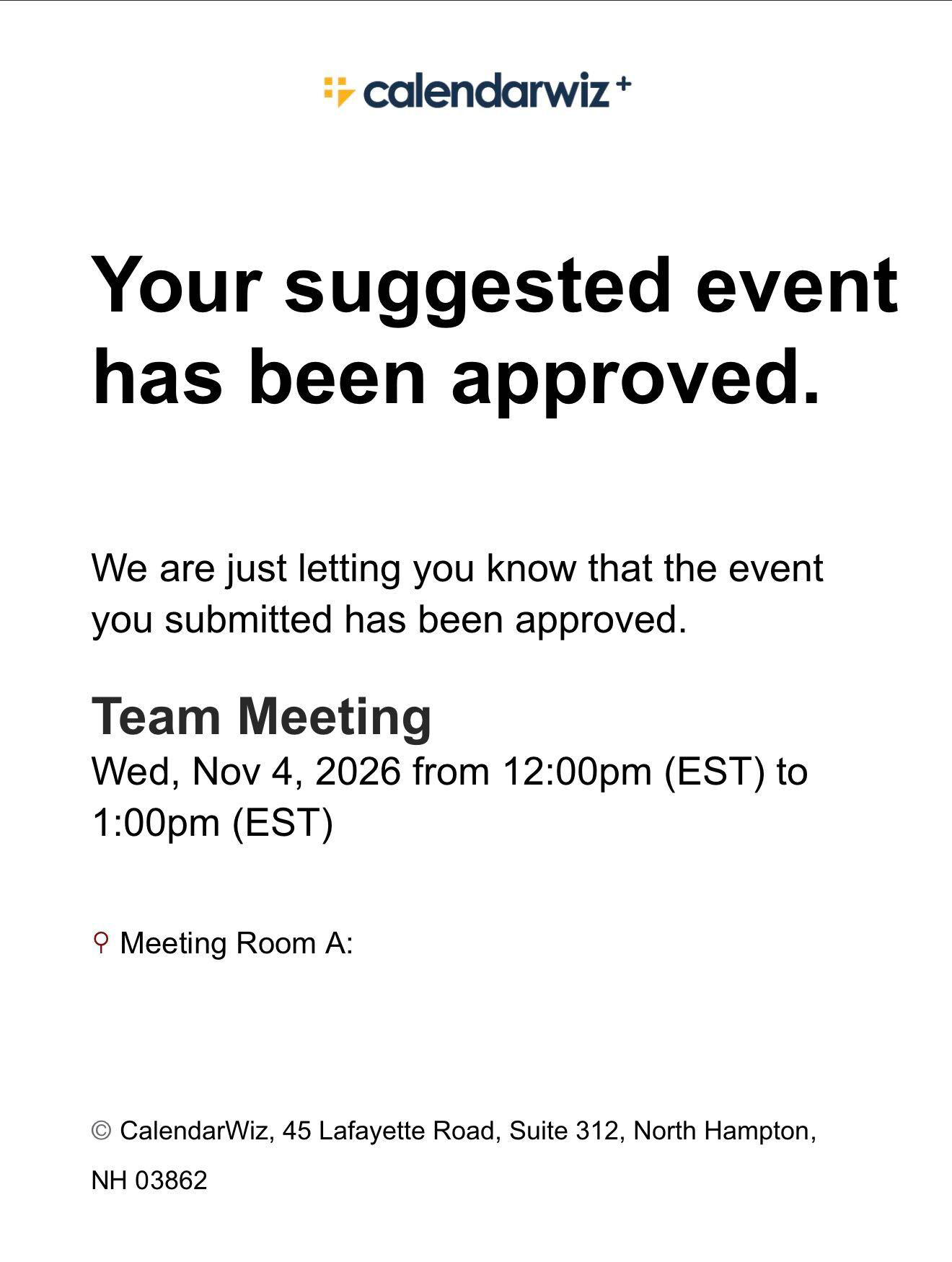
Check your booking schedule from anywhere
Log in from your phone and add CalendarWiz+ to your home screen.
Start Free Trial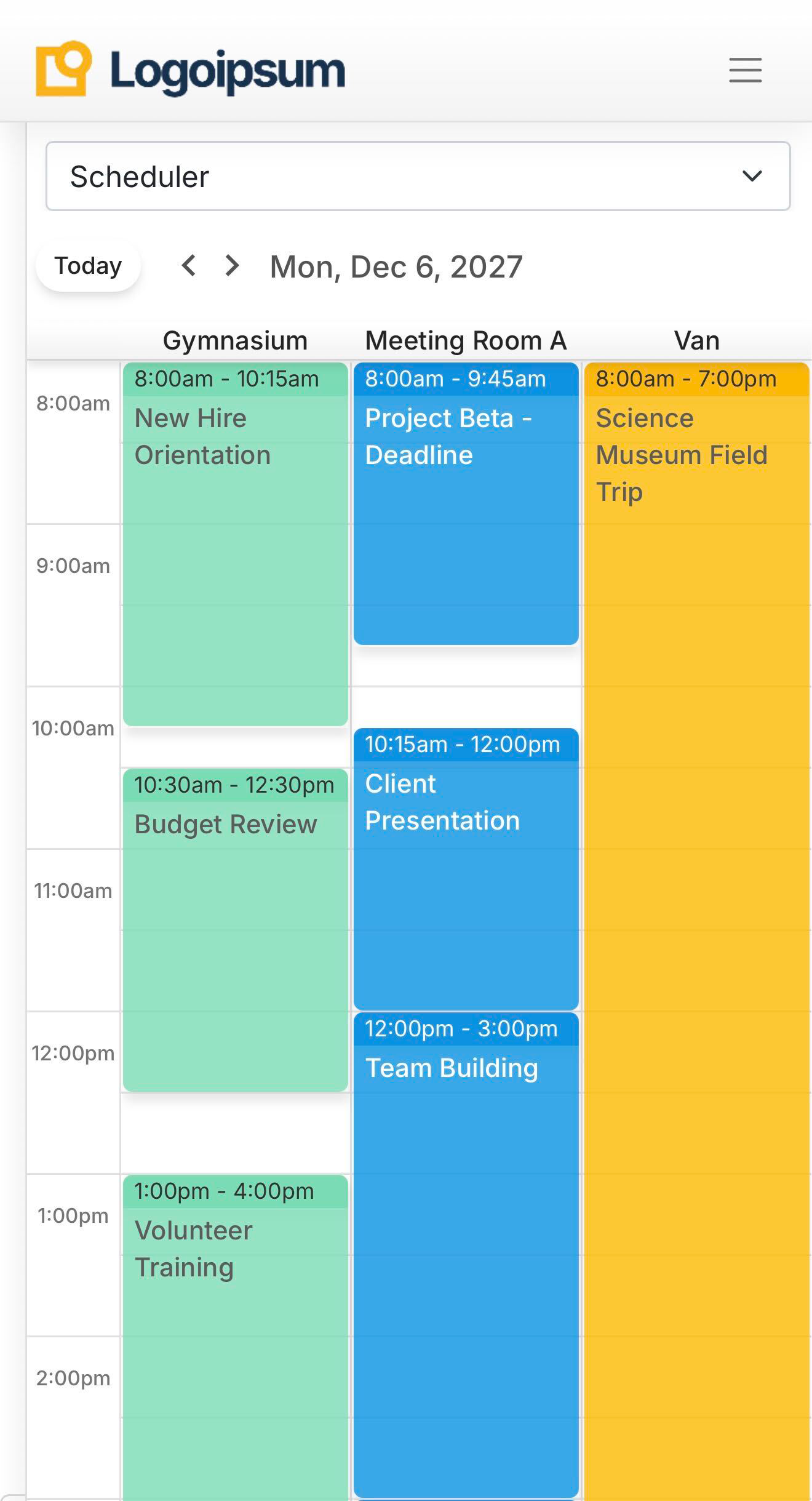
Room booking questions
What is room booking software?
Software that shows which rooms, facilities and equipment are free and lets your team reserve them without double-booking.
Can we book vehicles, buildings and equipment, not just meeting rooms?
Yes. Vehicles, buildings, gyms, projectors and other resources are booked on the same calendar as your rooms.
Can people outside our team request a room?
Yes. Visitors click Suggest Event on your calendar and send a request without logging in. A calendar admin approves it before it's added, so nothing gets booked without your OK.
Can people book their own time slots, like an appointment scheduler?
No. CalendarWiz+ is for scheduling shared rooms and resources, not for sharing open time slots. Outside requests come in through Suggest Event and wait for admin approval.
Does it work with Outlook or Google Calendar?
Yes. We offer an outgoing iCal feed that will sync your events.
Is there a free trial?
Yes, 30 days, no credit card required.
Moving from CalendarWiz Classic to CalendarWiz+?
We're here to help you move your events and data to CalendarWiz+ with ease.
We're still the same CalendarWiz. Just cooler.😎